StatsCastr runs in your browser, on a phone, tablet or laptop, so the only setup is an account. Each stat keeper gets their own, and your teams, rosters, leagues and games live in it. StatsCastr is free right now.
Short version
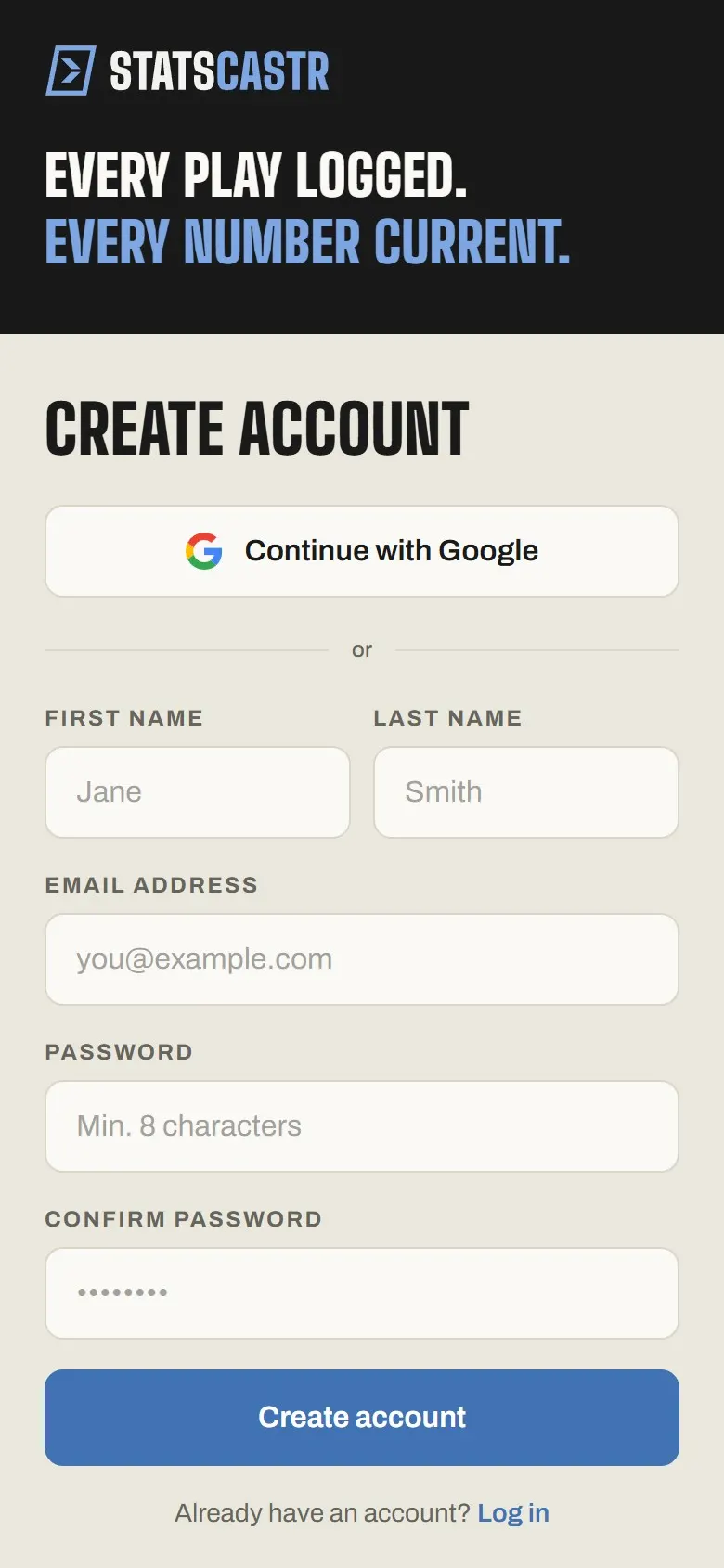
Go to statscastr.co, tap Get started free, then Create an account. Choose Continue with Google, or fill in your email and a password of at least 8 characters and tap Create account.
Open the sign-up form
- Go to statscastr.co in any browser.
- Tap Get started free (or Sign in). Both open the Log in form.
- Under the form, tap New to StatsCastr? Create an account. The heading changes to Create account.
If you already have an account, stay on Log in instead. See Sign in, reset your password and log out.
Sign up with Google
The fastest way in, and there's no new password to remember.
- Tap Continue with Google.
- Choose your Google account in the window that opens.
- You're signed in and taken to your dashboard.
If you close the Google window before choosing an account, nothing happens. Tap Continue with Google again when you're ready.
If you already made a StatsCastr account with the same email address, Google sign-in joins that account rather than creating a second one, so your teams and games are all still there.
Sign up with email and a password
- First name and Last name are optional. Your first name shows in the app's header; leave them blank and your email shows instead.
- Email address: the address you'll sign in with and where password resets go.
- Password: at least 8 characters.
- Confirm password: type it again.
- Tap Create account. The button reads Creating account… while it works.
If something goes wrong
The message shows in a red box above the button.
| Message | What to do |
|---|---|
| Passwords do not match. | Retype both password boxes so they match. |
| Password must be at least 8 characters. | Choose a longer password. |
| An account with this email already exists. | You already signed up. Tap Already have an account? Log in, or reset your password if you've forgotten it. |
| Network error. Please check your connection and try again. | Your phone lost signal. Wait for a connection and tap Create account again. |
What happens next
Once your account is created, the page reloads and opens your dashboard. We also send a Welcome to StatsCastr email to the address you signed up with.
Your dashboard starts with a Get your team ready to score card listing four steps: create a league and season, add two teams, add players to a roster, and schedule your first game. Your first game, start to finish walks through all of them.
Checklist
- Account created with Google, or with email and a password of 8 characters or more
- Welcome email received
- Dashboard open, with the setup card showing
- Next: Your first game, start to finish