In tennis, StatsCastr keeps the score for you: each point you log moves the game score, the games and the sets. This guide covers which button to use for each point, how singles and doubles work, and what happens at the end of a set and the match. For an overview of what StatsCastr does for tennis, see the tennis page.
Short version
For each point, tap the team, one point button, the player, then Log as singles or their doubles partner. Use Double Fault, Forced Error or Unforced Error on the team that made the error. When a set is won, tap + before the next point.
Scoring rules
| Ruleset | Games |
|---|---|
| Standard ITF-style | Advantage scoring: deuce, then ad |
| US Scholastic / No-Ad | No-ad: at 40-40, the next point wins the game |
Both are best of three sets. Pick one when you create the league, or for a single game on the new game form (Rulesets for each sport, and changing one for a single game).
- Sets show as Set 1, Set 2 and Set 3. There's no game clock.
- A set is won at six games with a two-game lead, or at seven games (7-5 or 7-6).
- At 6-6, game 13 is a tiebreak: first to seven points, by two.
- The third set is played as a full set. There's no match tiebreak in place of it.
Log a point
- Tap the team whose player won the point, or made the error.
- Tap the button (see the next section).
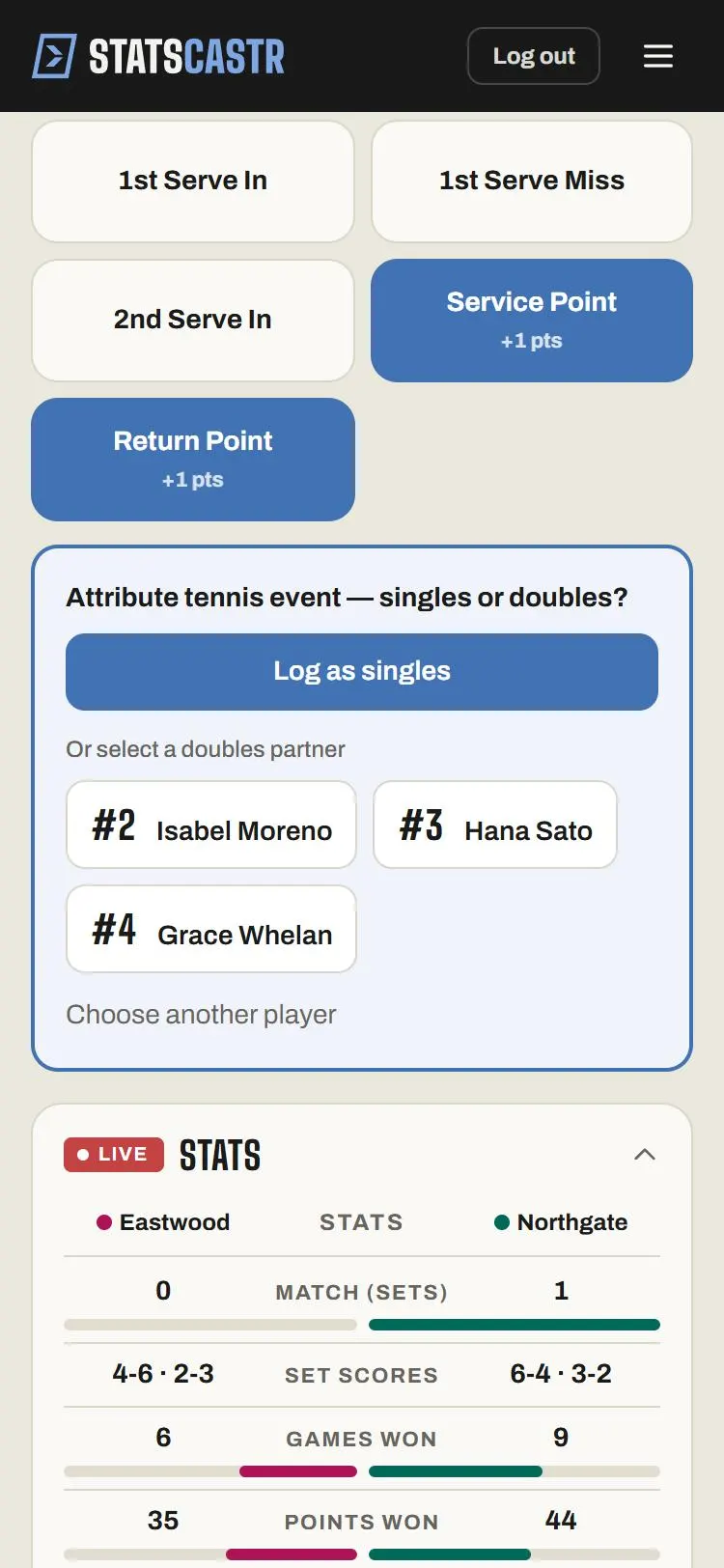
- The panel asks for the primary player: tap the player, or Unassigned.
- It then asks singles or doubles?: tap Log as singles, or pick the partner under Or select a doubles partner. Choose another player goes back a step.
You choose singles or doubles on every point, not when you schedule the match. In doubles, the stats go to the player you picked first; the partner is recorded with the point.
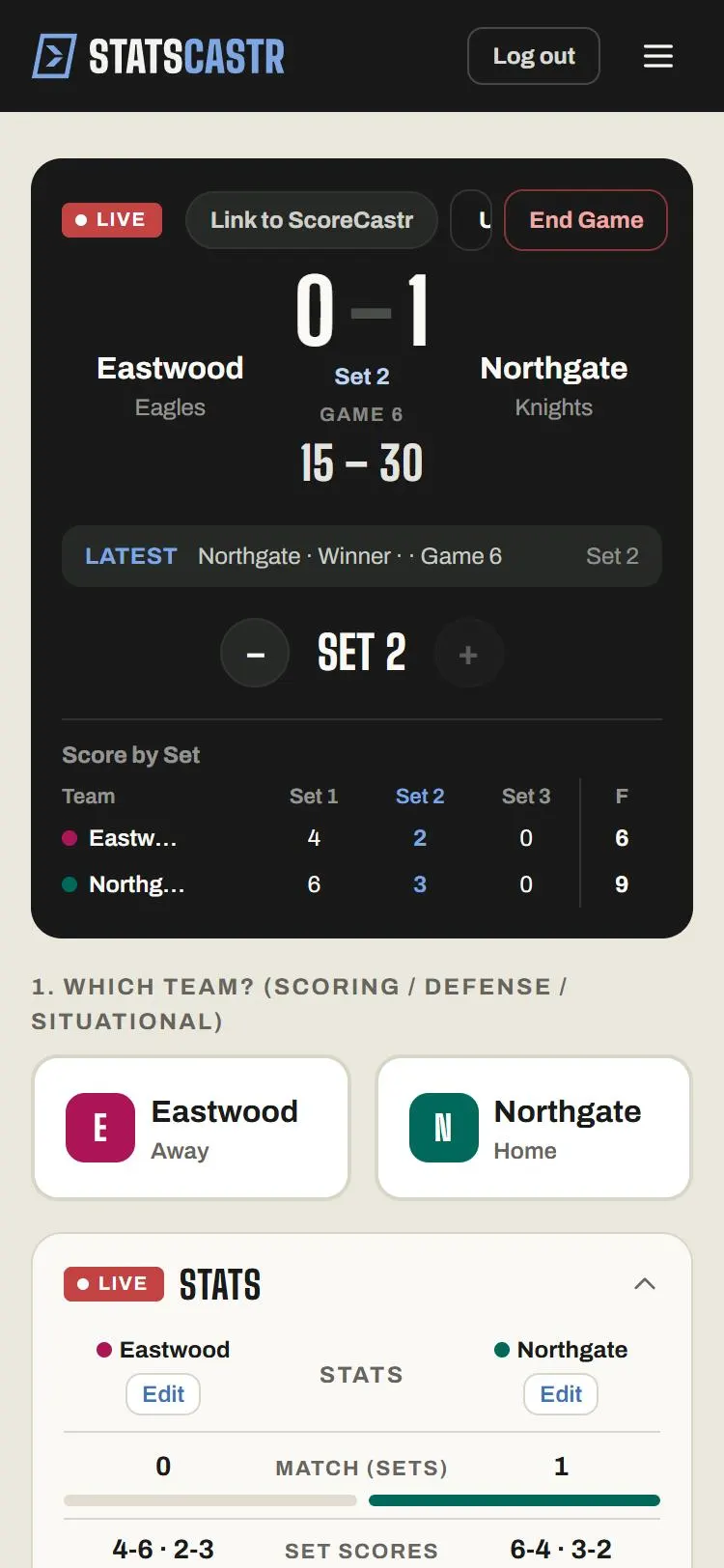
The scoreboard shows Game and its number (with Tiebreak in a tiebreak), then the point score, away first, like 15 – 30, or Deuce. The game number fills itself in.
Which button for which point
Log one point button per point. Each one counts the point, so a Winner and a Point Won for the same rally would give two points.
| Buttons | Tap the team that | Effect |
|---|---|---|
| Point Won, Ace, Winner, Break Point Won, Break Point Saved, Service Point, Return Point | Won the point | One point to that team |
| Double Fault, Forced Error, Unforced Error | Made the error | One point to the other team |
| 1st Serve In, 1st Serve Miss, 2nd Serve In | Served | No point. Builds first-serve percentage. |
Pick the button that best describes the point: Ace for an ace, Break Point Won when the returner wins on break point, Point Won when you don't need the detail. Serve buttons are optional extras you can log alongside.
End of a set and the match
- When a set is won, the + button lights up. Tap it to start the next set. Until you do, any point you log shows Set complete and "Advance to the next set before logging another tennis point."
- + stays grey while the set is still going, and at Set 3.
- When a player wins two sets, the match ends by itself: it's marked Final, and the Live page moves to the box score within a few seconds. Use End Game only for a match that stops early, such as a retirement.
See Change the period and set the clock.
Undo and corrections
Points have to stay in order, so work back from the newest one. Undo always takes back the last point. Editing or deleting an older point is refused if it would leave later points in the wrong game: you'll see Could not delete event or Correction failed. Undo back to that point and log the rest again.
The editor has Match format (Singles or Doubles), Doubles partner and Game in set. The Score by Set panel has no Edit: the set score always comes from the points. See Edit or delete any play, during or after the game and Log stats live.
What the box score shows
- Team stats: Match (sets), Set scores, Games won, Points won, Aces / Double faults, First serve %, Break points won, Winners / Unforced errors.
- Player stats: Points & Outcomes (PTS, WIN, FE, UE, BPW), Serve (ACE, DF, 1ST, 2ND, SPW) and Return (RPW, BPS).
- Standings: W, L, T, PCT, and GF and GA, which count sets won and lost, then STK.
- Season leaders: Aces / Match, Winners / Match, Points Won / Match, Double Faults / Match, Break Points Won / Match.
Roster positions are S (Singles Players) and D (Doubles Players). They only group the roster, and anyone can play singles or doubles.
Checklist
- Ruleset set to advantage or no-ad before the match
- One point button per point, on the team that won it or made the error
- Log as singles or a doubles partner picked each time
- + tapped after each set, before the next point
- Corrections made by undoing from the newest point back