This is the button-by-button reference for scoring a softball game in StatsCastr, for fastpitch or slowpitch. Softball uses the same buttons as baseball, over seven innings. For an overview of what StatsCastr does for softball, see the softball page.
Short version
Log Pitching Change for each team's starter before the first pitch. For each plate appearance, tap the batting team, the result (Single, Walk, Strikeout, Out and so on) and the batter. Add Run Scored for each runner who comes home, and tap + when the inning is over.
Innings and rules
Softball has one ruleset, Regulation (7 Innings), shown in the league form as "Regulation (7 Innings) · 7 innings, extra innings allowed".
- Innings show as 1st through 7th, then 8th and on for extra innings, up to ten past regulation (the 17th).
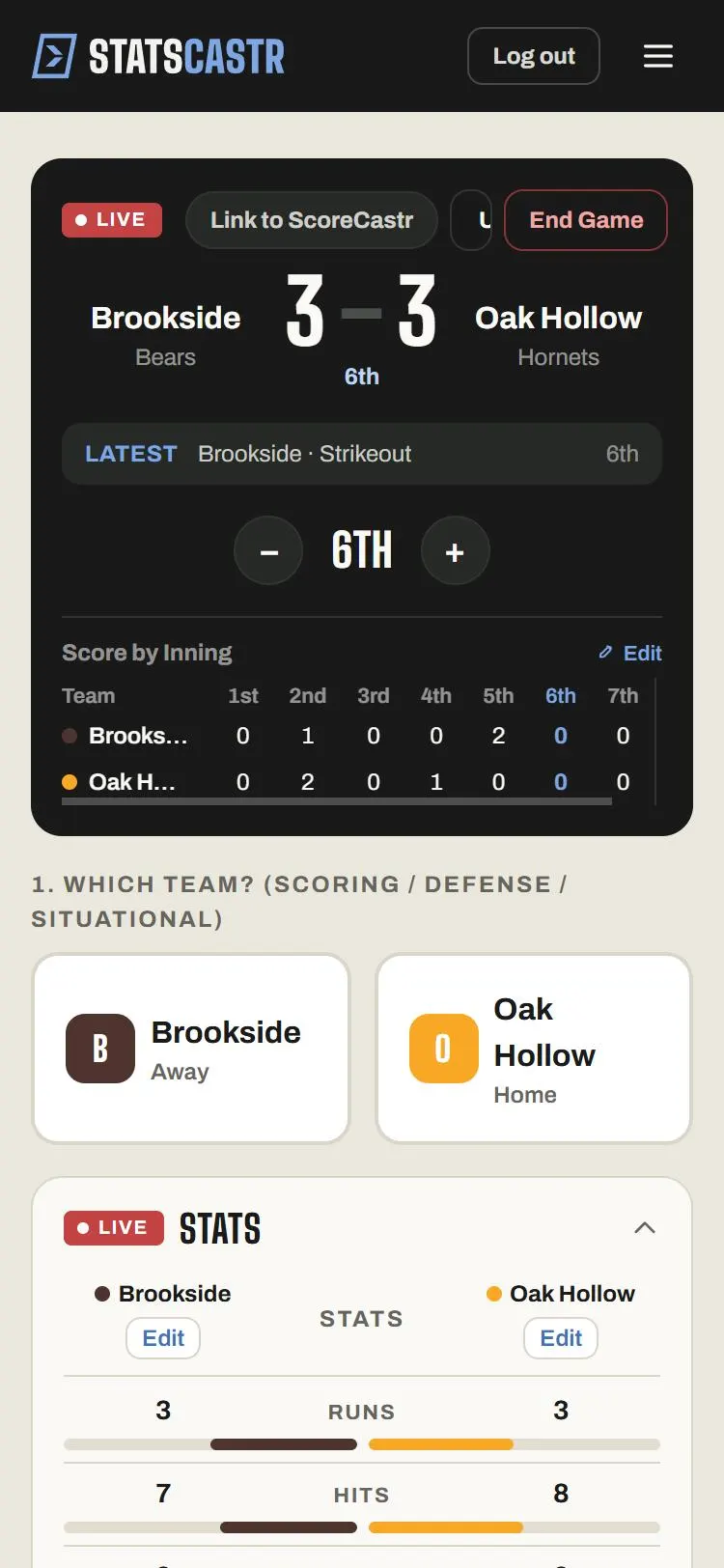
- One inning number covers both halves. StatsCastr doesn't track top and bottom, outs, the count or runners on base.
- There's no game clock.
- + moves to the next inning whenever you tap it, because the app doesn't count outs. Tap it when the inning is over, and use − if you went too far. See Change the period and set the clock.
- The Score by Inning panel's Edit button overrides the line score. See Override the score by period.
Pitchers: log Pitching Change first
A pitcher's line covers every batter from their team's Pitching Change up to the team's next one.
- Tap the team in the field (the pitcher's team).
- Tap Pitching Change. Select new pitcher lists only players with the P position.
- Tap the pitcher. There's no Skip; tap Cancel to back out.
Do this for both starters before the first pitch, and each time a new pitcher enters the circle.
- Plays logged before a team's first Pitching Change don't count for any pitcher, even if you log the starter afterwards.
- No players found for this position. means nobody on that roster is a P. Change the position on the roster first: Add, edit and remove players.
The stat buttons
Every button except Score Adjust and Pitching Change opens Select player (optional): tap the player, or Skip for a team-only stat. Home Run and Run Scored show +1 pts because they add a run.
| Button | Tap this team | What it records |
|---|---|---|
| Single, Double, Triple | Batting | A hit and an at-bat |
| Home Run | Batting | A hit, an at-bat, a home run and a run for the batter |
| Walk | Batting | A walk, with no at-bat |
| Strikeout | Batting | A strikeout and an at-bat, and an out for the pitcher |
| Out | Batting | An at-bat, and an out for the pitcher |
| Run Scored | Batting | A run for the runner |
| Stolen Base | Batting | A stolen base for the runner |
| Error | Fielding | An error for the team and, if picked, the fielder |
| Score Adjust | Either | Score adjustment: +1 run or -1 run |
| Pitching Change | Fielding | The new pitcher |
Runs and outs
- A home run scores the batter by itself. Add Run Scored only for runners on base.
- Log each out once: Strikeout for a strikeout, Out for the rest. Innings pitched is built from these, three outs to an inning.
- For an out that isn't the batter's at-bat (a runner caught stealing, the second out of a double play), tap Out then Skip, so no batter is charged an at-bat. It still counts as a team at-bat in the team Batting Avg.
- There are no buttons for RBIs, sacrifices, hit by pitch or earned runs. A sacrifice logged as Out counts as an at-bat.
Box score, standings and leaders
- Team stats: Runs, Hits, Home Runs, Walks, Strikeouts, Stolen Bases, Errors, Batting Avg.
- Batting: AB, H, 1B, 2B, 3B, HR, BB, K, SB, R, AVG.
- Pitching: IP, H, BB, K, R, ERA, shown once a Pitching Change is logged. IP counts thirds, so 4.1 is four and one-third innings.
- ERA: StatsCastr currently works out ERA per nine innings, the same as baseball, so it reads higher than a seven-inning softball ERA. It also counts every run scored while the pitcher was in, earned or not. Keep that in mind before sharing pitching numbers.
- Standings: W, L, T, PCT, R and RA (runs for and against) and STK.
- Season leaders: Hits / Game, Runs / Game, Walks / Game, Strikeouts / Game, Stolen Bases / Game, ERA, Strikeouts / Game (P), Innings Pitched / Game.
Fixing a play
Tap Undo for the last play. For anything older, tap Edit on the row in the play log to change the Event, Player or Period (inning number), or New pitcher on a Pitching Change. A Pitching Change can't be moved to an earlier point in the game. See Edit or delete any play, during or after the game, and Keep baseball stats, including pitchers for worked examples that apply to softball too. The basics of tapping team, stat and player are in Log stats live.
Checklist
- Pitchers have the P position on the roster
- Both starters logged with Pitching Change before the first pitch
- Run Scored used for runners, not home-run hitters
- Every out logged once
- + tapped at the end of each inning