This is the reference for the football quick-stat buttons: what each records, which team to tap, and what it asks next. Passes and carries for individual players have their own panels, covered in Track quarterbacks and running backs play by play. For what StatsCastr does for football overall, see the football page.
Short version
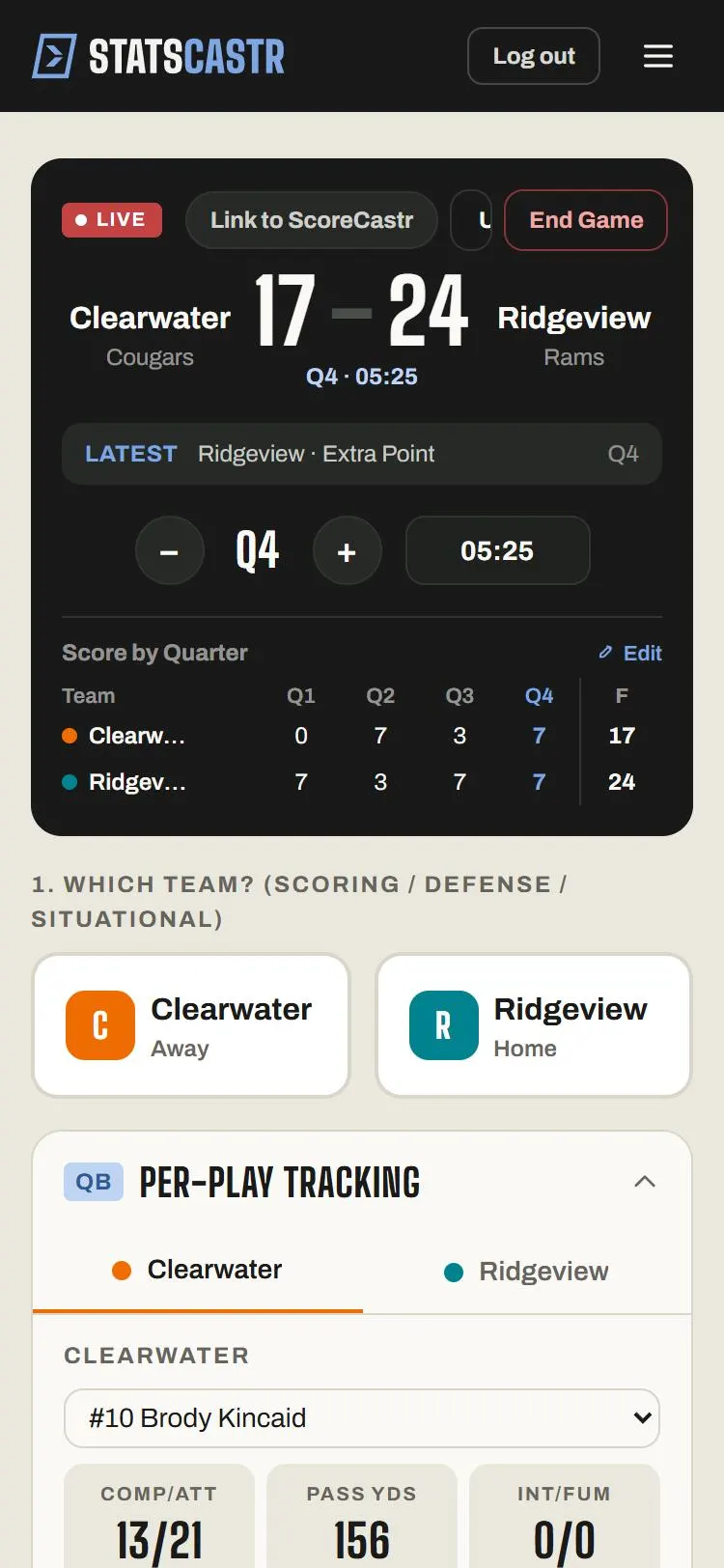
Tap the team, then a Quick stats button. TD, Safety and 1st Down log at once. XP, 2-PT and FG ask Good or No Good. Sack and Def TD ask for the defender. Use Edit on LIVE Stats to correct a team total.
Quarters and the clock
Football games have no ruleset to pick. Every game runs four quarters, Q1 to Q4, with 15:00 on the clock.
- Tap + for the next quarter. The clock resets to 15:00.
- After Q4, + adds OT1 and OT2. It stops at OT2.
- The clock doesn't run. Type the time in the box next to the quarter when you want plays stamped with it. It saves when you leave the box.
See Change the period and set the clock.
Scoring buttons
Tap the team that scored, then:
| Button | Records | Then asks |
|---|---|---|
| TD (+6 pts) | A touchdown | Nothing: it logs at once |
| XP (+1 pts) | An extra-point try | Extra Point — Result?: Good or No Good |
| 2-PT (+2 pts) | A two-point try | 2-Point Conv. — Result?: Good or No Good |
| FG (+3 pts) | A field goal | Field Goal — Result?: Good or No Good |
| Safety (+2 pts) | A safety | Nothing |
| Def TD (+6 pts) | A defensive touchdown | Defensive TD Type?: Pick 6 or Fumble TD, then the scorer |
Only a Good try adds points. A No Good extra point or two-point try still counts as an attempt.
TD credits the team, not a player. To give the passer, receiver or runner the touchdown, log it in the QB or RB panel with Pass TD or Rush TD instead. Don't log it both ways, or it counts twice.
After Pick 6 or Fumble TD, the panel reads Pick 6 · +6 pts — Who scored? (or Fumble TD). It lists the team's DL, LB and DB players. Tap one, or Unassigned.
Other quick stats
| Button | Tap this team | Records | Then asks |
|---|---|---|---|
| Turnover | The team that took the ball away | A turnover forced | Turnover Type?: Interception or Fumble |
| Penalty | The team that committed it | A penalty and its yards | Penalty Yards? (5, 10 or 15, or type it), then Log Penalty |
| Sack | The defense | A sack and yards lost | Sack — Yards Lost?, Log Sack, then Sack · N yds lost — Who made the sack? |
| 1st Down | The offense | A first down | Nothing |
| 3rd Down | The offense | A third-down try | 3rd Down — Result?: Converted or No Conversion |
| Red Zone | The offense | A red-zone trip | Red Zone — Result?: Scored or No Score |
| Passing | The offense | Passing totals | Passing Update form |
| Rushing | The offense | Rushing totals | Rushing Update form |
The sack picker lists the defense's DL, LB and DB players, with Unassigned if you don't know who. A fumble logged with Turnover also counts as a fumble lost for the other team.
Passing and Rushing
These two log totals in one go, for when you can't follow every snap. Passing Update has a Player list and boxes for Comp, Att, Yds, TDs and INTs; tap Log Passing. Rushing Update has Player, Att, Yds and TDs, and Log Rushing.
- Touchdowns typed here don't add points. Log the score with TD too.
- They count in the box score, but not in the season leaders. Plays from the QB and RB panels count in both.
- Don't mix them with the QB and RB panels for the same player and quarter, or yards count twice.
Edit team totals
On LIVE Stats, tap Edit under a team to open its Edit Stats form (titled with the team name). It has Scoring (including Score), Passing, Rushing, Defense, Situational (3rd Conv, 3rd Att, RZ Conv, RZ Att, Fumbles, 1st Downs) and Penalties. Change a number and tap Save Changes.
- Changing Score changes the scoreboard.
- Your change is kept as a correction: plays you log afterwards still add on top of it.
- This form is on the Live page only. Once you tap End Game, fix the plays instead.
See Edit team and player totals (football and soccer).
What goes in the box score
LIVE Stats shows Score, TDs, FGs, Pass Yds, Comp/Att, Rush Yds, Turnovers (forced), Def TDs, INTs (thrown), Fumbles, 1st Downs, Sacks, Sack Yds, 3rd Down % and Red Zone %. The PDF and CSV add extra points and two-point tries (made/attempted), safeties, pass and rush touchdowns, defensive interceptions, fumble recoveries and penalties.
Player stats come in four groups: Passing (CMP, ATT, YDS, TD, INT), Rushing (CAR, YDS, AVG, TD, FUM), Receiving (REC, YDS, AVG, TD) and Defense (SACKS, DEF TD). They fill from the QB and RB panels, the Passing and Rushing forms, sacks and defensive scores.
Standings and leaders
Standings show W, L, T, PCT, PF, PA and STK. The season leaders are Passing Yards, Rushing Yards, Receiving Yards and Touchdowns, built from QB and RB panel plays and QB stat edits. See How standings work and Season stat leaders for each sport.
Checklist
- Roster positions set, so defenders show in the sack and Def TD pickers
- Scores logged once: TD, or Pass TD and Rush TD in the panels
- Every extra point, two-point try and field goal marked Good or No Good
- Turnovers, sacks and penalties logged for the right team
- Team totals checked and corrected with Edit before End Game